Fonts and typography
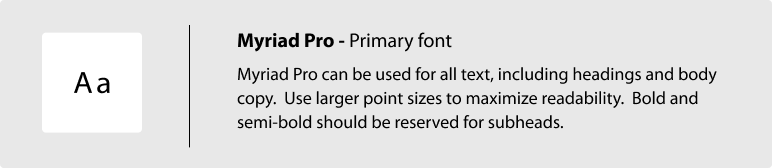
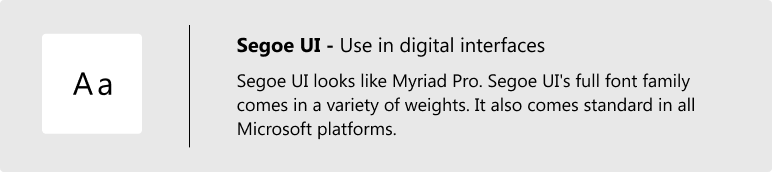
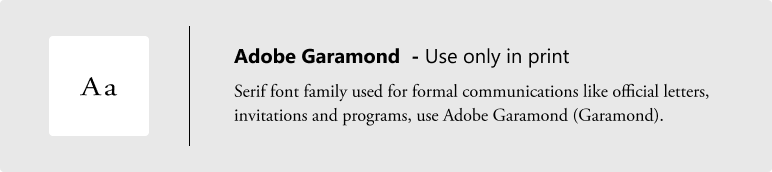
Consistent use of typography reinforces Hennepin County's brand identity. Our corporate typeface, Myriad Pro, helps to convey a warm and friendly interaction. Myriad Pro is easy to read and is a humanistic sans-serif typeface. It conveys warmth, is simple, and is straightforward. It aligns with our communication values of being clear, direct, and accessible.
Using consistent typography and logical hierarchy makes content clear and scannable. Our text sizes, styles, and layouts balance content and UI (user interface). They also foster familiarity.
For more information on writing content for websites, visit Writing for accessibility.
Heading levels
Headings organize the content on a page. They help users scan and navigate a page. Headings give users an idea of what content will follow. Heading levels outline the hierarchy of the content. Page titles are set at <H1>. Headings after the page title begin with <H2> and can range to <H6>.
Headings are important for sighted users and users with visual impairment. Appropriate use of heading tags helps assistive technologies provide in-page navigation.
Each page should only have one <H1>. Don't skip heading levels. Follow the nested sequential order for heading levels. For example, don't skip from an <H2> to an <H4>. Sequential order lets users understand the relationship among sections of the page. If heading levels are out of order, it could confuse users.
Responsive design for typography
For styling typography for responsive web design, use relative units like em and rem. Avoid using absolute measurements like pixels. Pixels are unscalable measurements based on the display's resolution. Em and rem are both scalable units of font size, relative to pixel size.
Changing pixels to flexible units allows text to automatically adjust for different devices. This scalability also lets users control font sizes on their personal devices. It allows for more accessible and enjoyable reading experiences for everyone.
To learn more about responsive typography and line spacing, visit WCAG specifying line spacing in CSS.